Hypurr Desk
- trade crypto, stocks, commodities, pre-IPO & more
- up to 50x leverage
- 0 servers, 0 sign-ups, 0 custody
- 100% in your browser
What the cat does for you
-
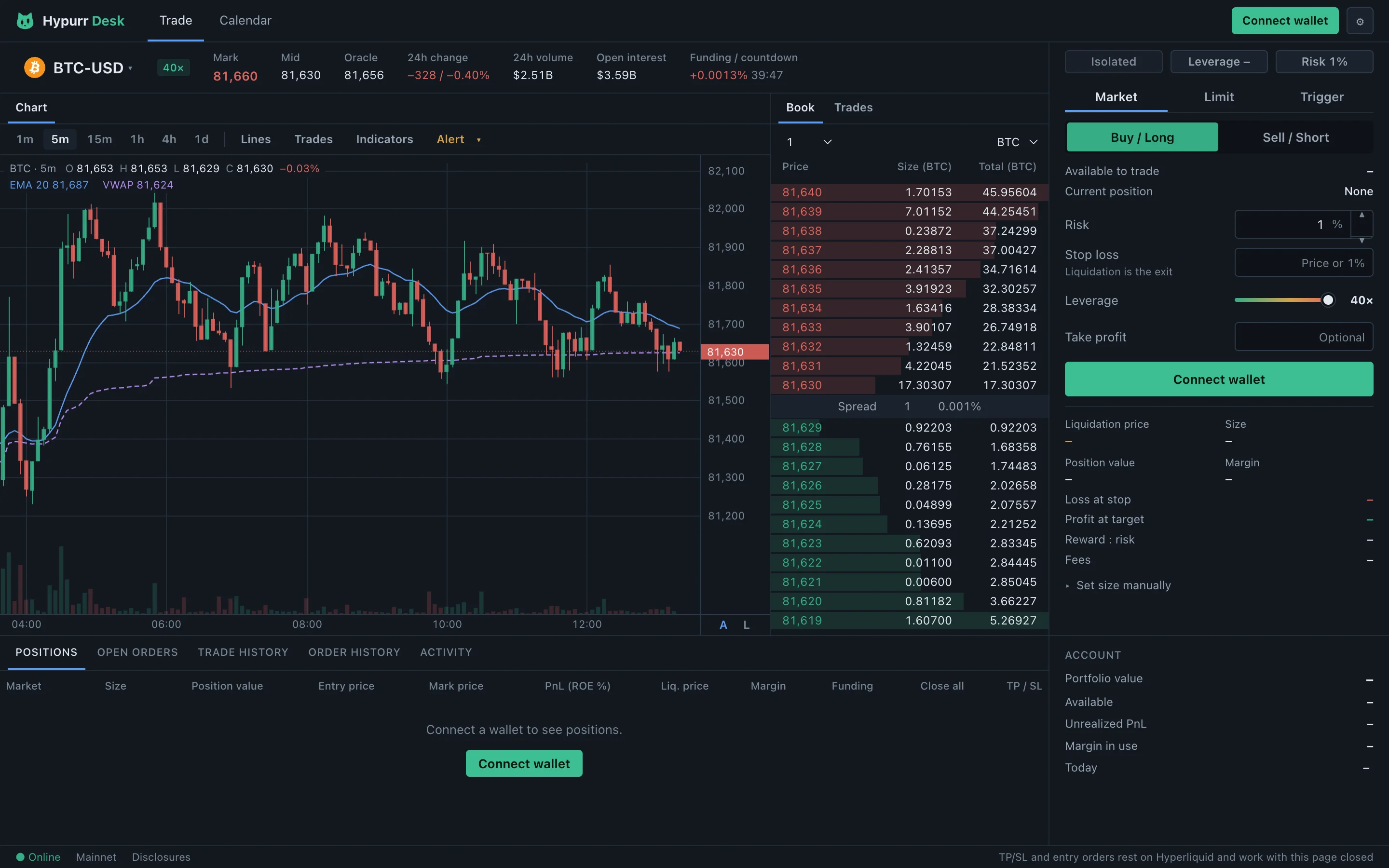
Type the stop, get the size
You choose how much of the account one trade may lose. The desk works out the size, the margin, the loss at the stop and the reward-to-risk after fees.
-
Stops that outlive the tab
Stop loss and take profit are trigger orders on the exchange. Close the page, close the laptop: they stay put and keep working.
-
Drag orders on the chart
Move a stop, a target or a resting entry by dragging its line. A new stop is placed before the old one is cancelled, so a position is never left bare.
-
Trailing stops in R
Set the trail as a multiple of your risk. The exchange follows the move and closes at market when price gives that much back.
-
Take profit in steps
Set up to ten targets on one order, each closing its own share of the position. Type them as a price, a percentage or a multiple of your risk.
-
More than crypto
Trade stocks, commodities, indices, FX and pre-IPO names from the same picker as crypto, with the same sizing and stops. They are perpetual contracts that track the price, not shares.
-
Know when markets move
Countdowns and alerts for the Tokyo, Europe and US opens, the US close, CPI, the jobs report and Fed decisions. Add your own events too.
-
A calendar of your P&L
Every trading day on one calendar, with round trips, expectancy, profit factor and R-multiples. A daily loss limit blocks new entries when you have had enough.
-
A trade journal
Tag the setup, write notes and save the chart with each trade. Breakdowns show what is working, and everything exports to CSV or JSON. Your notes stay in your browser.
-
Share your trades
Turn a closed trade or an open position into a card with the price, your buys and sells and the result. Save it, copy it or post it.
-
Trade from your phone
Scan a code on your computer and your phone trades the same account, no wallet app needed. The phone gets its own layout and its own key for 30 days.
-
Your keys stay yours
Your wallet signs one approval. A trading key your browser holds signs the orders after that, and your orders never pass through a server of ours.
Three steps to the first order
- 1
Connect a wallet
Rabby, MetaMask, Coinbase Wallet or any browser wallet. Or watch any address first, read-only.
- 2
Approve once
Your wallet signs a single approval for a trading key the browser keeps. It is good for 180 days.
- 3
Size from the stop
Pick the market, type the stop, set the risk. The desk sizes the order; one click places it with its stop and target.
Before you trade
- Perpetual futures can lose your money faster than you expect. Size small, keep the stop, and never trade with funds you need.
- Hypurr Desk is an independent project built for Hyperliquid and is not affiliated with it.